LiftSheet
Build. Log. Repeat.
Coming Soon
Why LiftSheet
Built for how you actually train — not how apps think you should train.
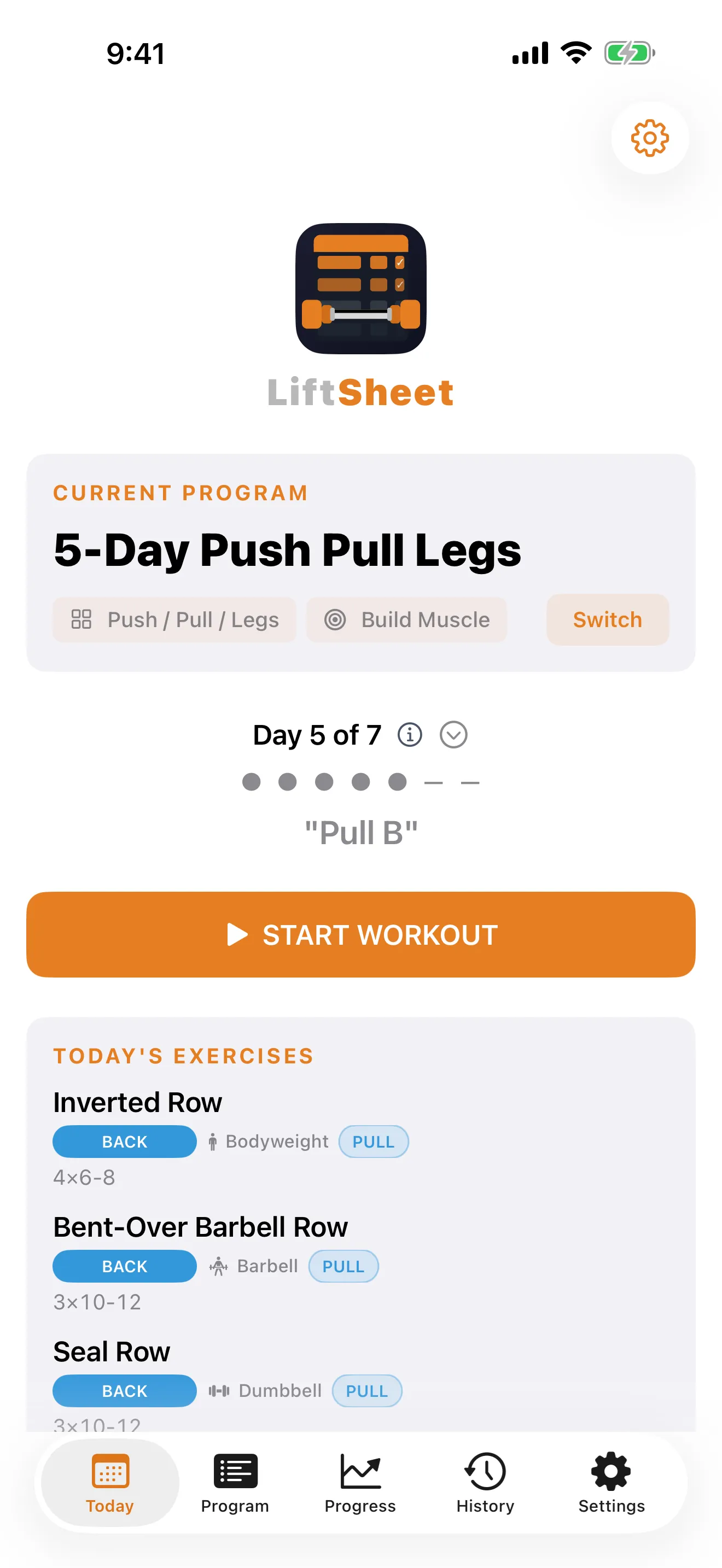
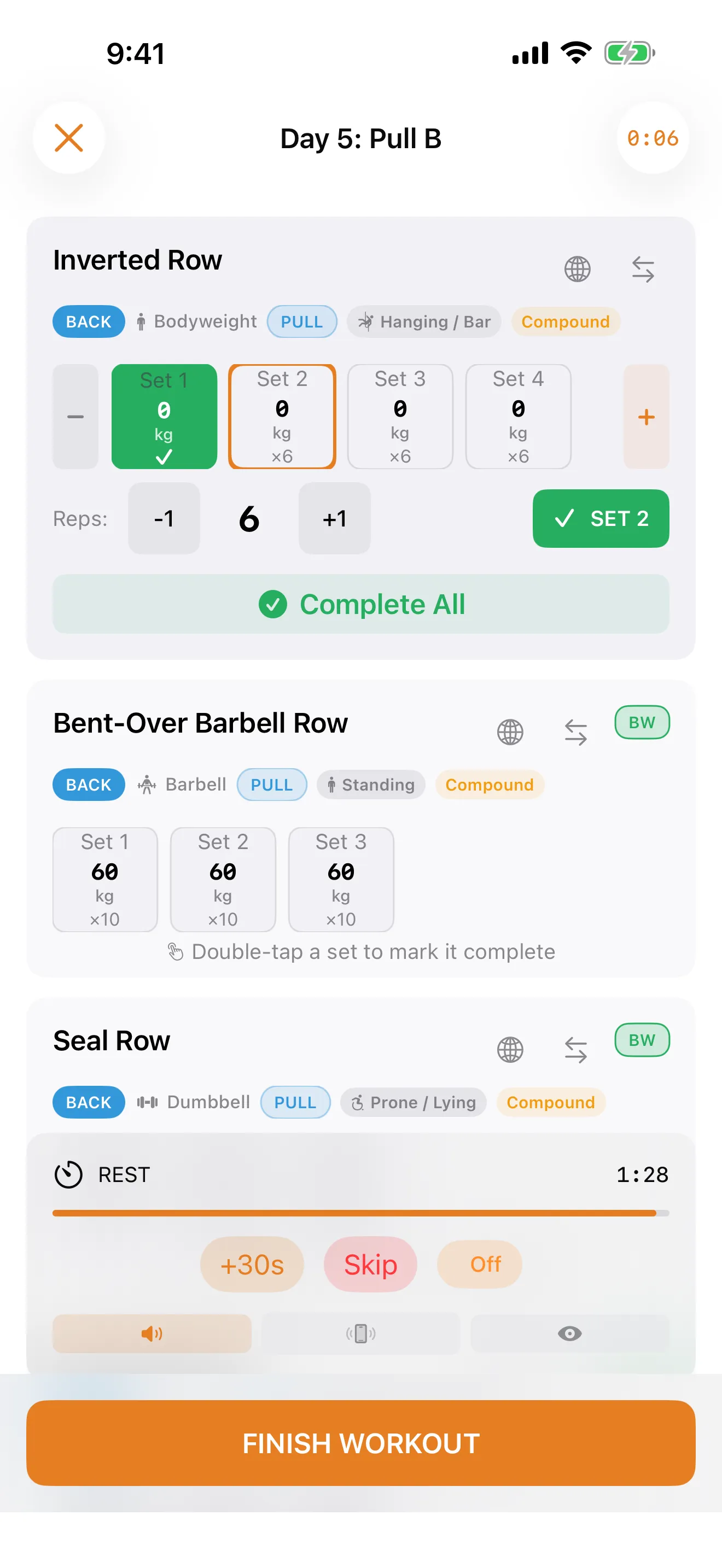
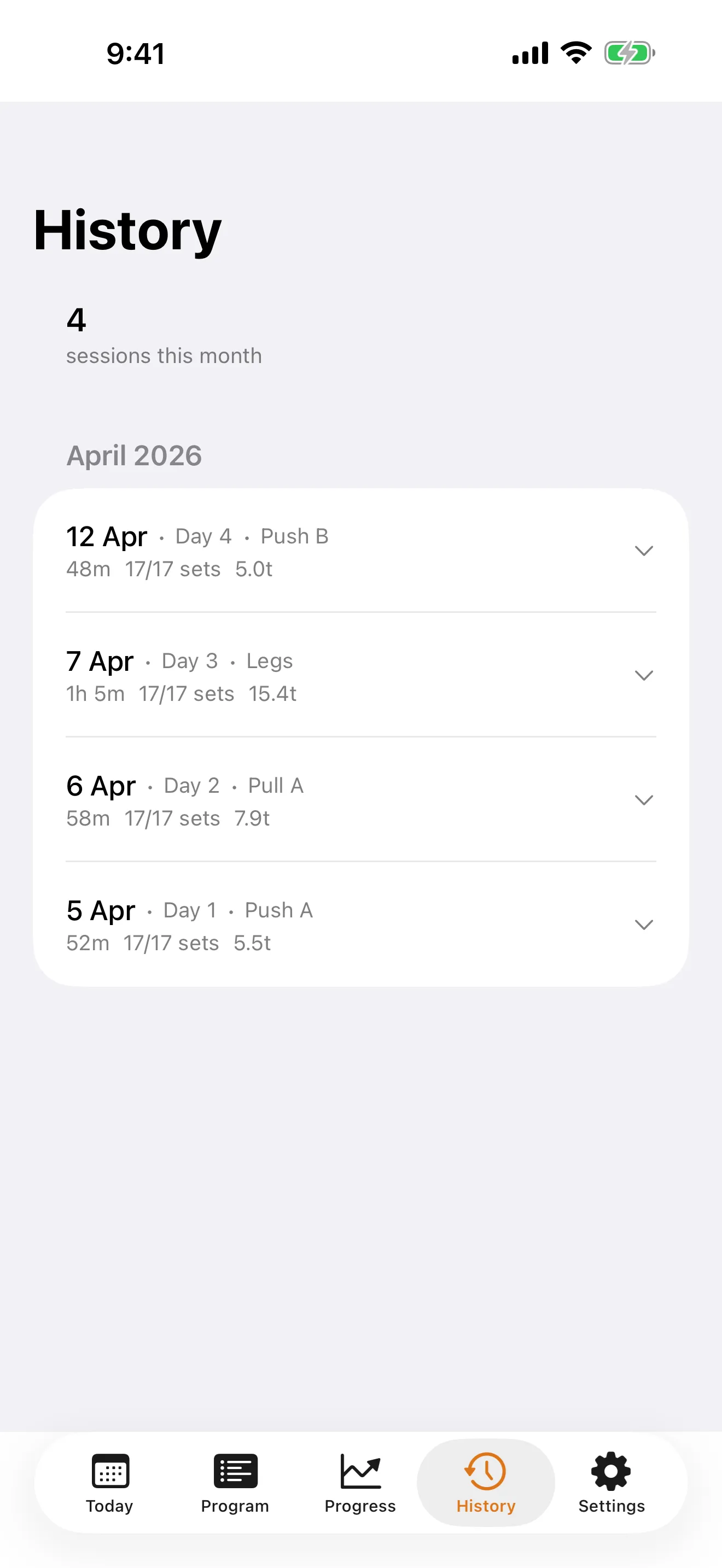
One-Tap Set Logging
Speed during a workout is everything. Weights carry over from your last session automatically — no fiddling with numbers between sets.
A Planner, Not a Tracker
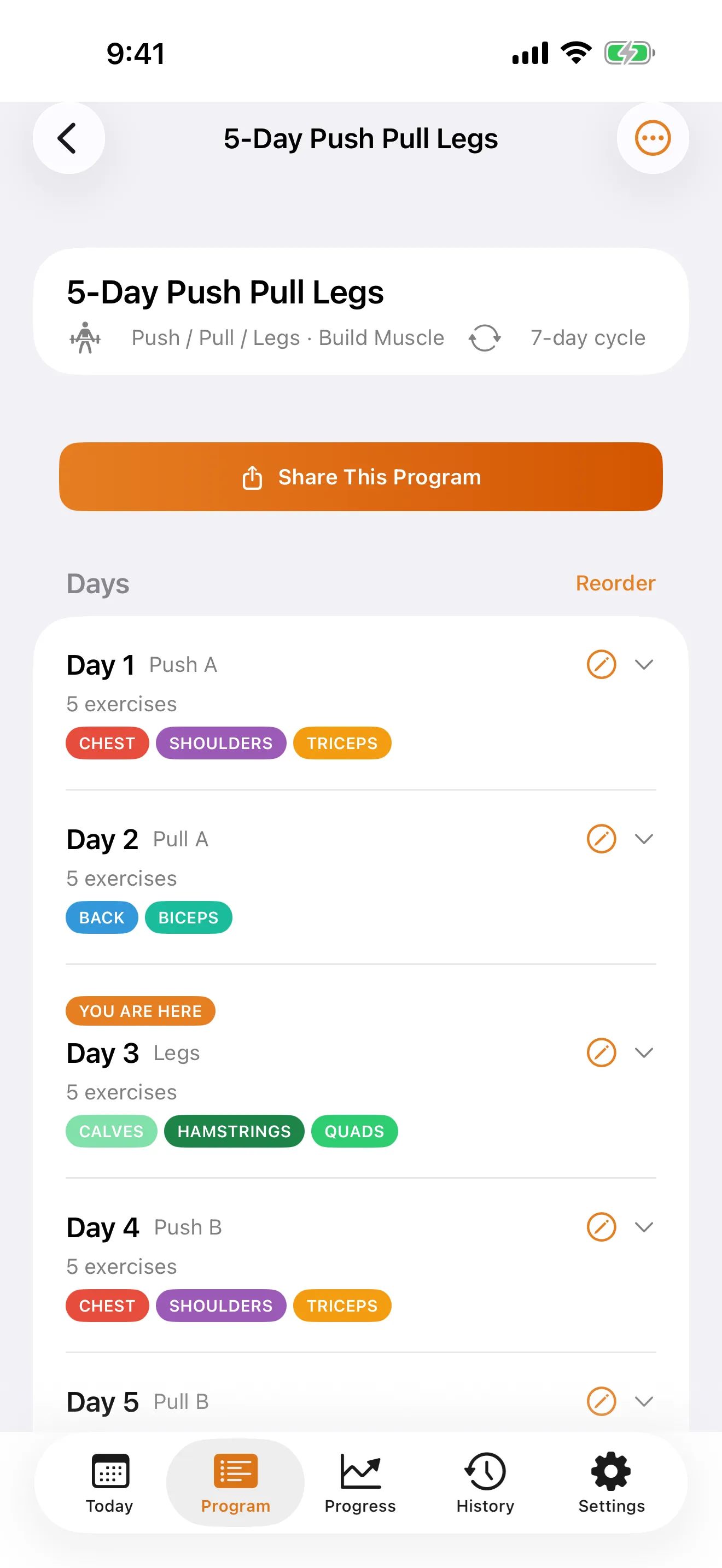
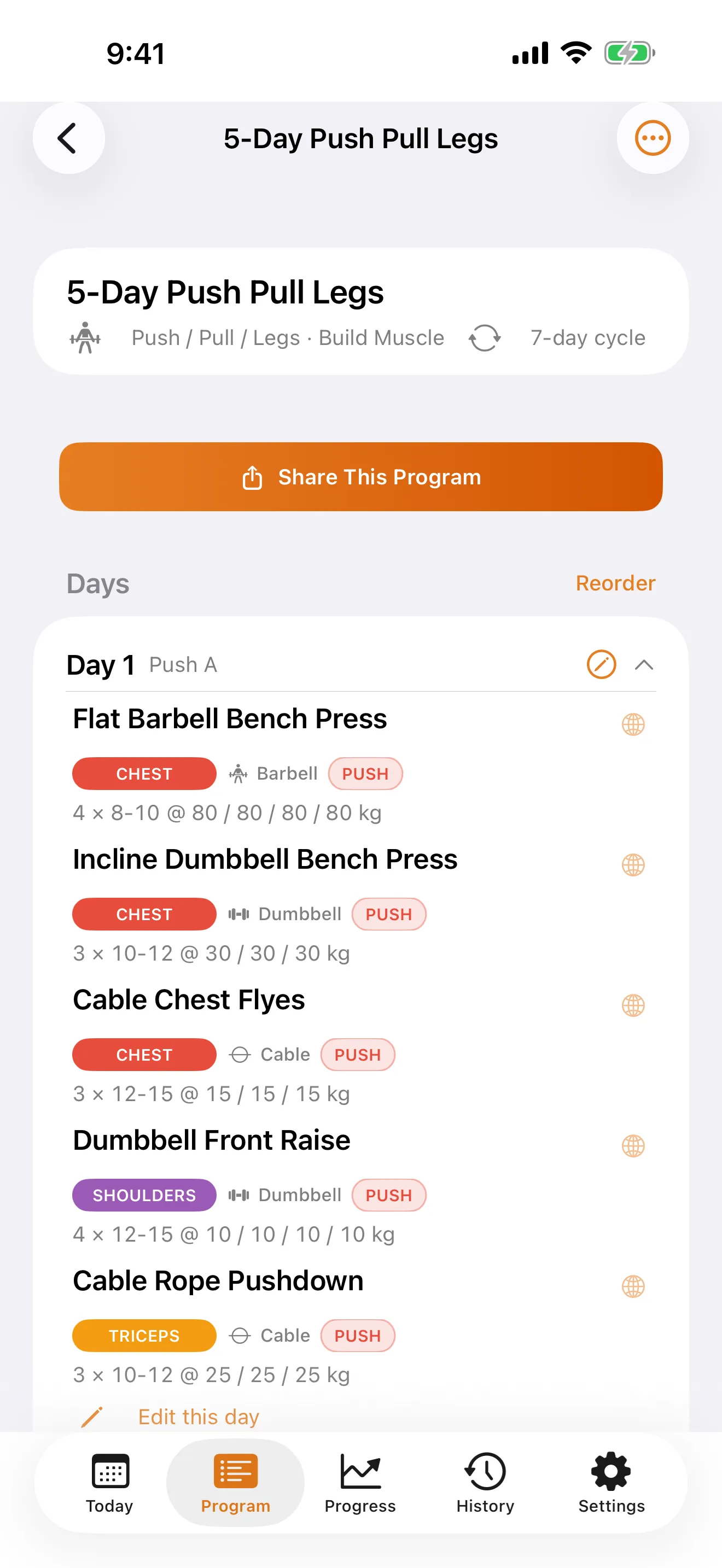
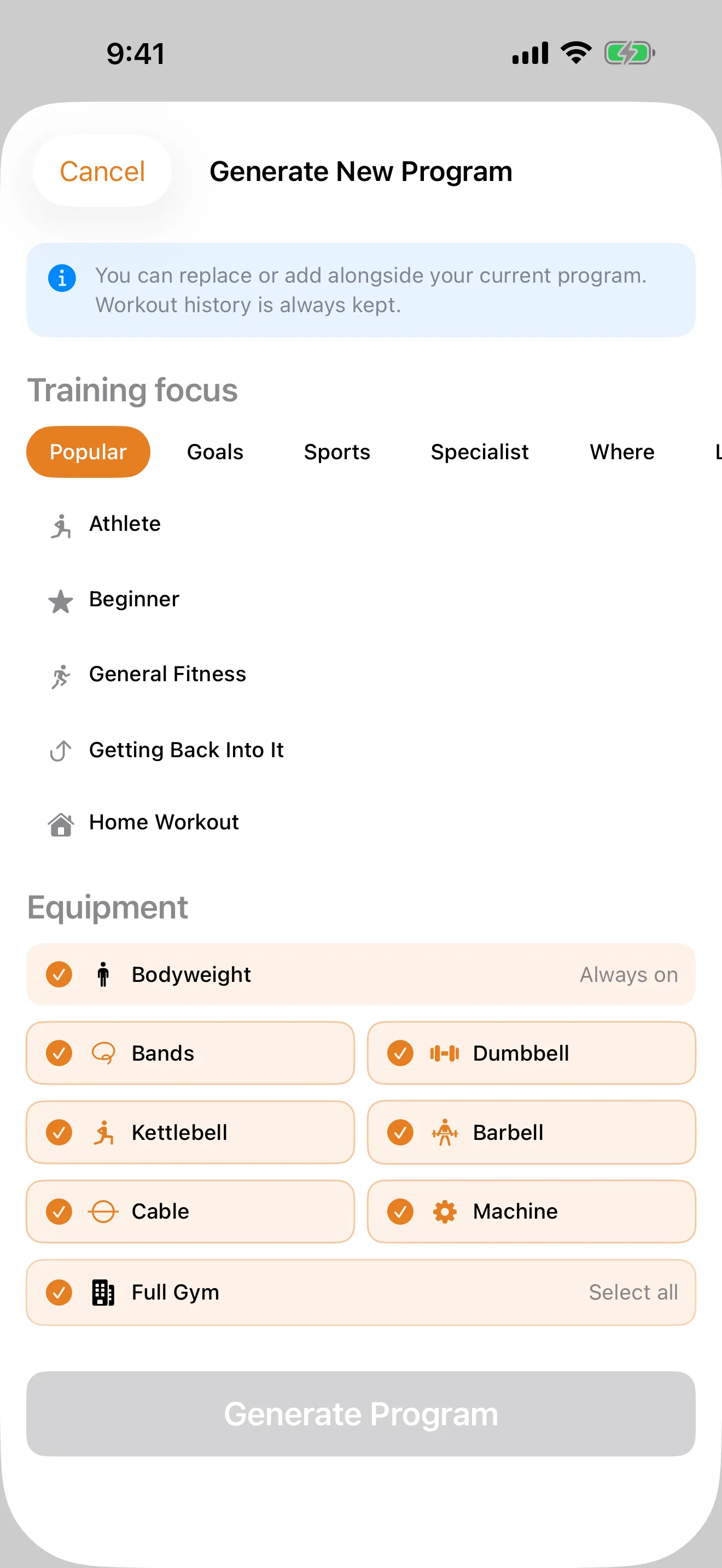
Most apps make you bring your own programming knowledge. LiftSheet builds complete programs for you — 7 splits, 8 goals, 60 training personas, with exercises matched to your equipment.
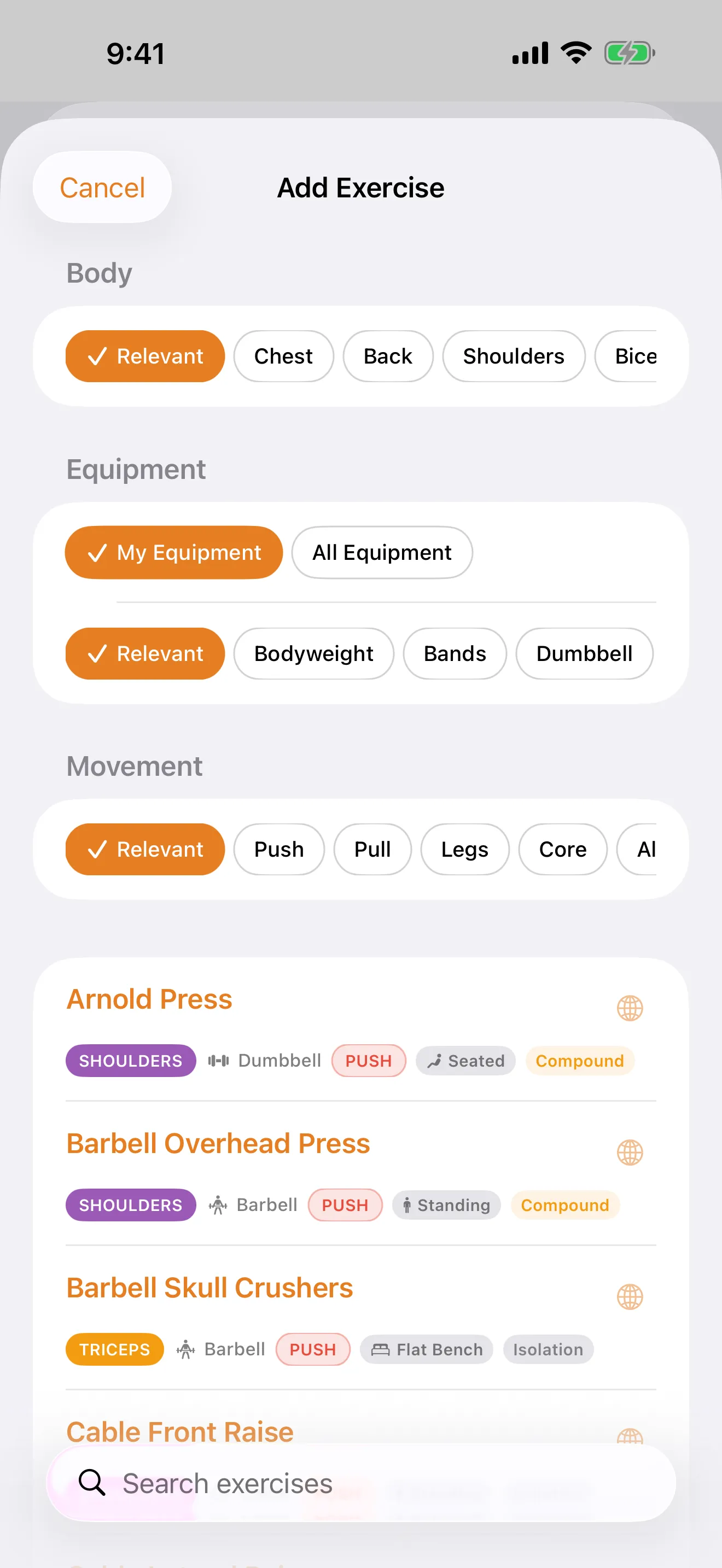
3,700+ Smart Exercises
Filter by muscle group, equipment, movement pattern, and setup type across 15 muscle groups, 21 equipment types, and 7 movement patterns. Create your own custom exercises too.
Travelling Mode
Away from the gym? Auto-swap your exercises to bodyweight or band alternatives in one tap. No separate routines needed.
Auto Warm-Up
Automatic descending warm-up percentages based on your working sets. Tracked separately — never counted towards PRs or volume.
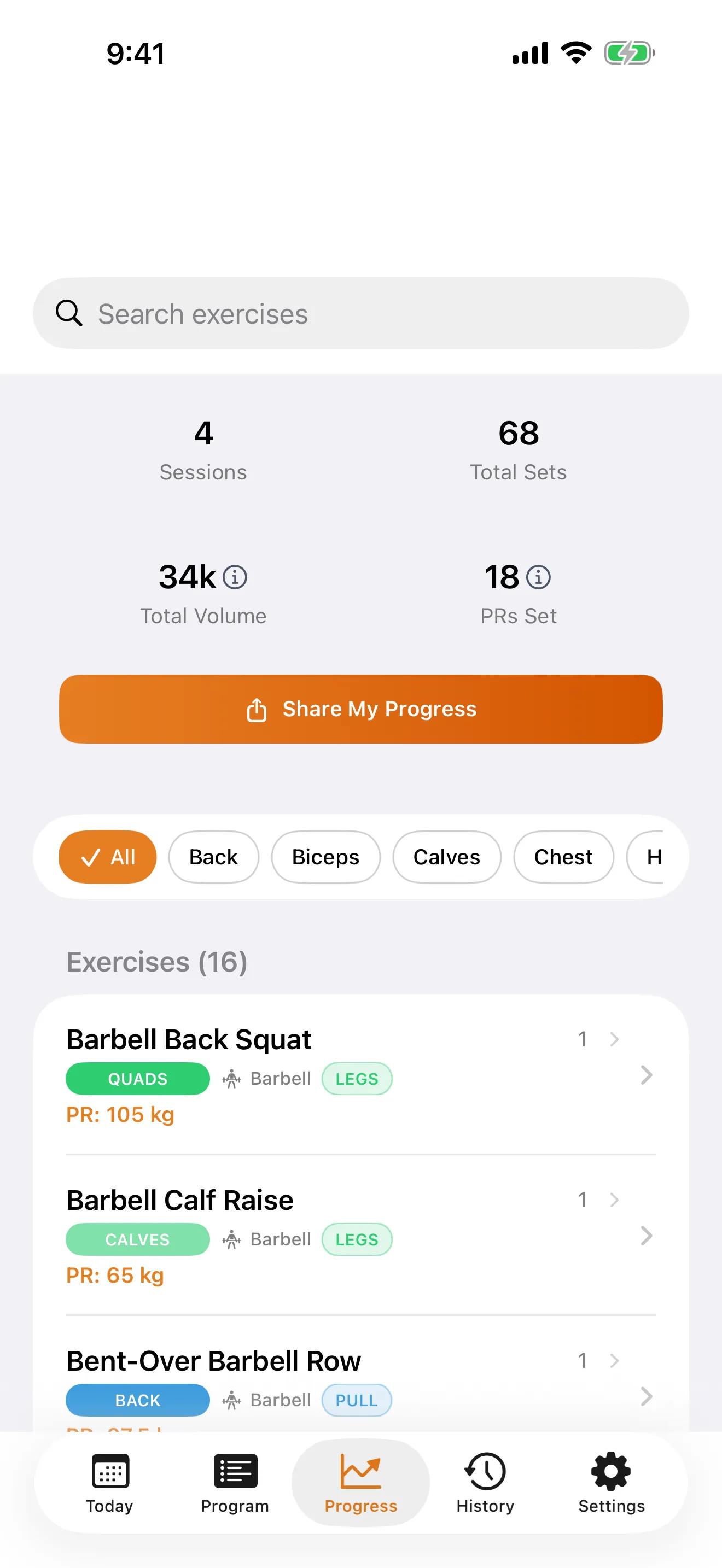
Progress That Matters
Per-exercise charts, estimated 1RM using the Epley formula, volume trends, and automatic PR detection. See what's actually improving.
Privacy First
No ads, no account, no cloud. Everything stays on your device. No paywalls on core features. No data collection, ever.
Built for Trainers
Templates, client management, and branded exports — features that professional coaching platforms charge $50+/month for.
For Lifters
A minimalist iOS workout tracker built around the way you actually train — no accounts, no ads, no cloud.
Custom Programs
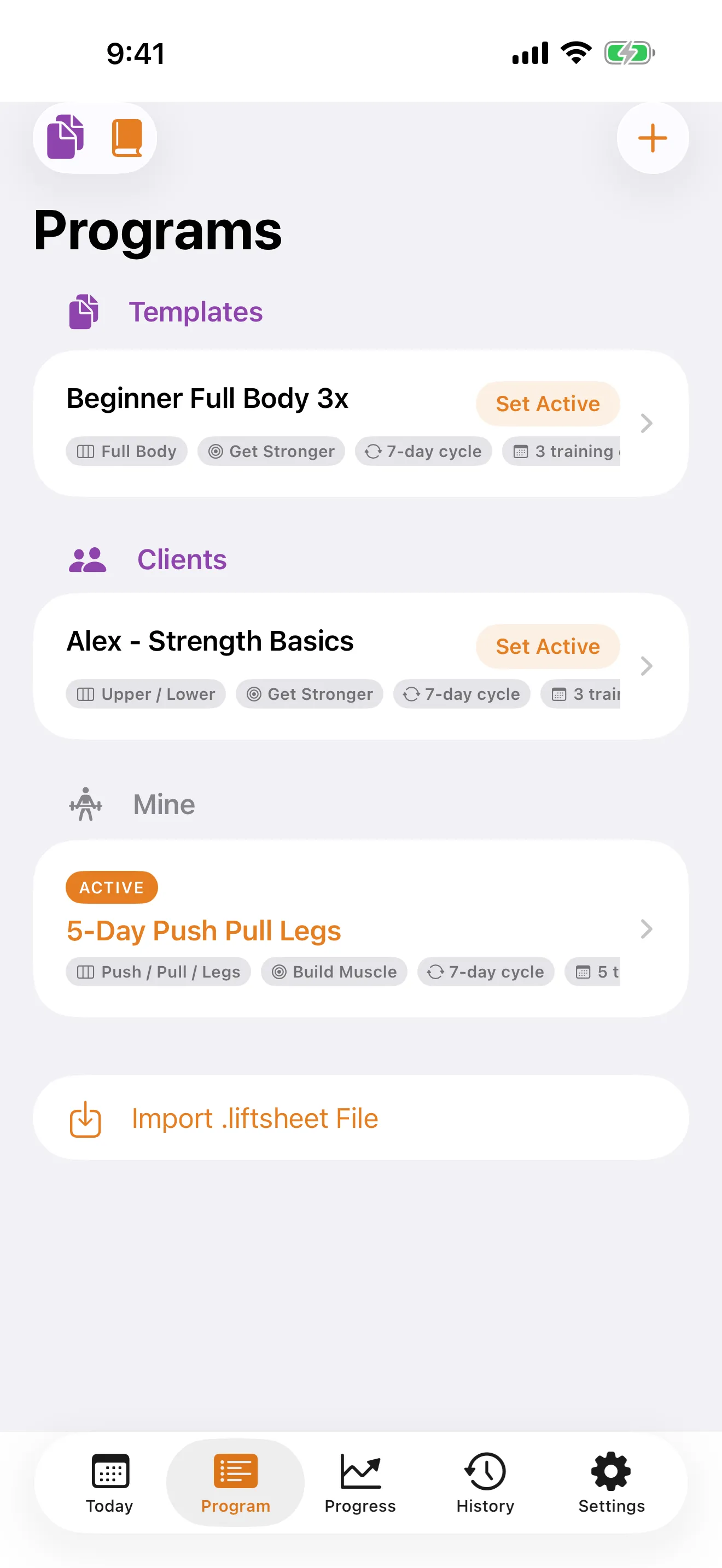
Build and customise your own workout programs tailored to your goals, split, and equipment.
3,700+ Exercises
A full library spanning 15 muscle groups and 21 equipment types, with alternatives, tags, and form notes. Create your own custom exercises too.
One-Tap Logging
Log sets, reps, and weight with a single tap. Speed and simplicity combined.
Rest Timer
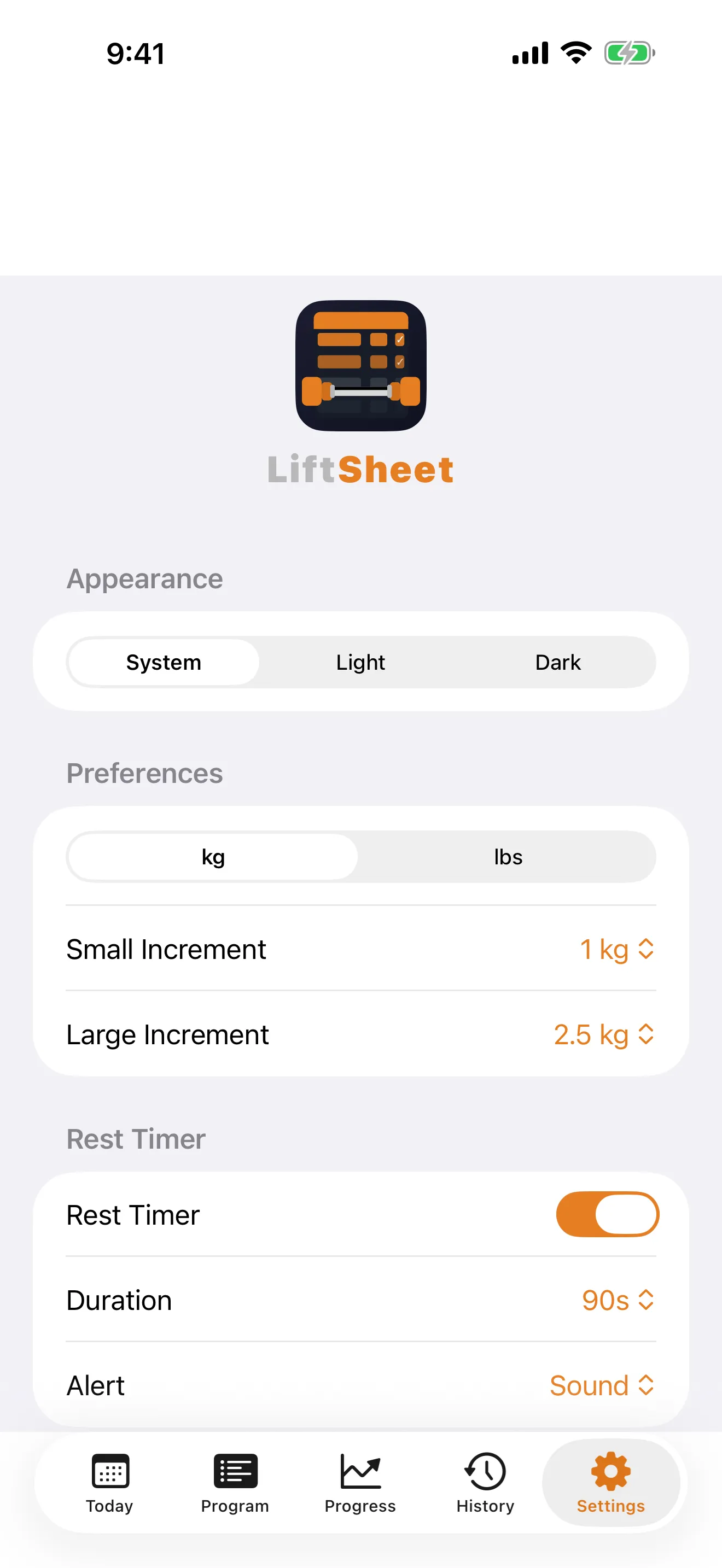
Built-in rest timer with configurable alerts to keep your sessions consistent and on pace.
PR Tracking
Automatically tracks your personal records and progress over time, with charts and history.
Warm-Up Sets
Add warm-up sets with auto-calculated weight percentages. Warm-ups are tracked separately and never count towards your PRs or volume totals.
Equipment-Aware Builder
Tell LiftSheet what gear and setups you have across 21 equipment types and 12 setups — it only suggests exercises you can actually perform.
Travelling Mode
Heading out of town? Switch to a bodyweight or lighter alternative program in one tap — no gym required, and your main program stays exactly where you left it.
PDF & .liftsheet Export
Export workouts, programs, or full history as clean, printable PDFs for your records or a coach.
Shareable Moments
Post finished workouts, PRs, progress, and full programs as polished share cards in five formats — portrait, story, square, landscape, and custom — straight from LiftSheet to any app.
Privacy-First Sharing
Flip on "Hide numbers" to share the vibe without the weights, or use the master switch in Settings to hide every share button app-wide.
iPhone and iPad
Optimised for both — split-view layouts on iPad give you more room to plan and review, while iPhone keeps things pocket-sized at the rack.
Exercise Swap
Need to switch an exercise mid-workout? Swap it for an alternative from the library without leaving your session.
Save & Resume Workouts
Life happens. Save a workout mid-session and pick up exactly where you left off later — no lost sets.
Multi-Format Share Cards
Share in five formats — portrait, story (9:16), square, landscape, and custom — so your cards look perfect on any platform.
Time Budget
Tell LiftSheet how many minutes you have — it prioritises compound lifts, trims accessories, and keeps you on pace with a live countdown so you finish on time.
Weight Progression
After your last set, tap the bump chip to nudge the weight up for next session. Pick your increment — small, large, or 1-unit — and LiftSheet writes the new target into your program.
Bulk Deload
Coming back from a break? The pre-workout deload sheet lets you cut every working weight by a percentage in one tap so you ease back in safely.
Auto-Backup
LiftSheet quietly backs up your data to iCloud Drive after every session. If you ever switch devices, your workouts, programs, and PRs come with you.
Private by Default
No account, no sign-up, no tracking. Every workout, program, and note stays on your device.
Shareable Moments
Every big milestone deserves a share-worthy card. LiftSheet renders polished graphics in five formats — portrait, story (9:16), square, landscape, and custom — on-device, in a fraction of a second, no filters or feeds required.
Workout Complete
Finish a session and LiftSheet generates a card with every exercise you hit, set count, total volume, and duration — ready to share the moment you rack the last plate.
PR Cards
Beat a personal record and a dedicated card pops up with your new weight, reps, and the previous best it just crushed.
Program Previews
Share a full program at a glance — every training day, every exercise, laid out so followers can read your split without installing anything.
Progress Cards
After four sessions LiftSheet unlocks a progress card summarising streaks, volume trends, and the lifts you're moving fastest on.
History Replay
Any session in your history can be re-shared. Revisit an old workout and post it with a single tap.
Five Formats, One Tap
Portrait, story (9:16), square, landscape, and custom — pick the format that fits your platform. Instagram integration hands it straight to the IG composer.
For Trainers
The Trainer tier turns LiftSheet into a lightweight coaching toolkit. Available as Monthly, Annual, or Lifetime — includes everything in Pro. Build once, reuse forever, and send programs straight to your clients.
Unlimited Client Programs
Keep a separate program for every client, grouped by name in your Trainer Library so nothing gets mixed up.
Reusable Templates
Save any program as a template and spin up a fresh, independent copy for each new client in seconds.
Private Client Notes
Attach injury notes, goals, and session history to each client program. Stored locally, never exported.
Send to Client
Share programs as .liftsheet files or branded PDFs — your clients just tap to open and start training.
Branded PDF Exports
Export client-ready PDFs with your name, business, tagline, and your own uploaded logo on the cover and every page header.
Branded Share Cards
Every workout, PR, program, and progress card swaps LiftSheet's default crest for your studio logo and coach name. Turn every client's post into quiet marketing for you.
Logo Upload
Drop your logo into Settings once. LiftSheet downscales it on-device, stores it locally, and surfaces it on every share card and PDF you ever export — never touches a server.
Trainer Library
One place for Templates, Client programs, and your own training — with edit, view, and delete on every row.
Plans
New installs get a 30-day trial with full Pro access — no credit card required. Pricing shown in your local currency on the App Store.
Free
- Up to 5 programs
- Full 3,700+ exercise library
- Full session logging
- Rest timer & PR tracking
- No account needed
Pro
- Unlimited programs
- PDF, CSV, .liftsheet export
- Travelling Mode
- Advanced charts & history
- 30-day trial on install
Pro Lifetime
- Everything in Pro
- Pay once, keep forever
- All future Pro features
Trainer
- Everything in Pro
- Unlimited client programs
- Reusable templates
- Private client notes
- Branded PDF exports
- Branded share cards
FAQ
Quick answers for lifters and trainers. The full FAQ lives on the main site once we launch.
Does my data sync across devices?
No — every byte lives on the device it was logged on. To move a program to another device, export it as a .liftsheet file and open it there. Your iOS iCloud backup will also preserve your data if enabled.
What is Travelling Mode?
Travelling Mode lets you swap your active program for a bodyweight or hotel-gym alternative for the week, without losing your place in your main program. One tap to switch back when you're home.
Is there a free tier?
Yes. The Free tier gives you up to 5 programs, the full 3,700+ exercise library, session logging, rest timer, and PR tracking — no account, no ads, forever. New installs also get a 30-day trial with full Pro access so you can try everything before deciding.
How is my data protected?
LiftSheet collects zero analytics, has no servers, and never uploads your data. Everything is stored on-device and covered by iOS's built-in protections.
What can I share from LiftSheet?
Finished workouts, new PRs, full programs, progress snapshots, and any session from your history each render as a polished share card in your choice of five formats. Tap Share on any of them and send through Instagram Stories, Messages, email, or any other iOS share target. Cards are generated on-device — nothing is uploaded.
Can I hide my numbers when sharing?
Yes. Every share sheet has a "Hide numbers" toggle that blanks weights, reps, and volume on the card so you can celebrate a session without broadcasting the details. You can set it as your default in Settings, and flip the master Sharing switch off any time to hide every share button app-wide.
How do I turn a template into a client program?
Open the Trainer Library, tap a template, and choose "Use for Client." LiftSheet deep-copies the template into a fresh program stamped with your client's name. Edits to the client's copy never affect the template.
How do I send a program to a client?
Open the program and tap Share — send the .liftsheet file via email, AirDrop, Messages, WhatsApp, or any other channel. Your client opens it in LiftSheet (Free tier works) and it lands in their Programs list. You can also send a branded PDF.
Are my client notes private?
Yes. Trainer notes and client names never leave your device and are stripped from every export. Your client only sees the workout itself.
How does trainer branding work on share cards?
Set a name, business, tagline, and upload a logo once in Trainer Settings. Every share card — whether posted by you or a client training on a program you built — swaps the default LiftSheet crest for your logo and coach name. LiftSheet's wordmark stays in place but small and subordinate to your brand. The Trainer tier is available as Monthly, Annual, or Lifetime — includes everything in Pro.
Where does my uploaded logo live?
On your device only. When you upload, LiftSheet downscales the image to a max 512pt longest side, re-encodes it as PNG, and stores it in your private iOS preferences. It never touches a server and it's wiped if you tap "Remove logo" or uninstall the app.
For more information contact
We'd love to hear from lifters, trainers, and anyone curious about what's coming.