LiftSheet app icon A stylized workout log page with an orange barbell — the LiftSheet logo

LiftSheet

Build. Log. Repeat.

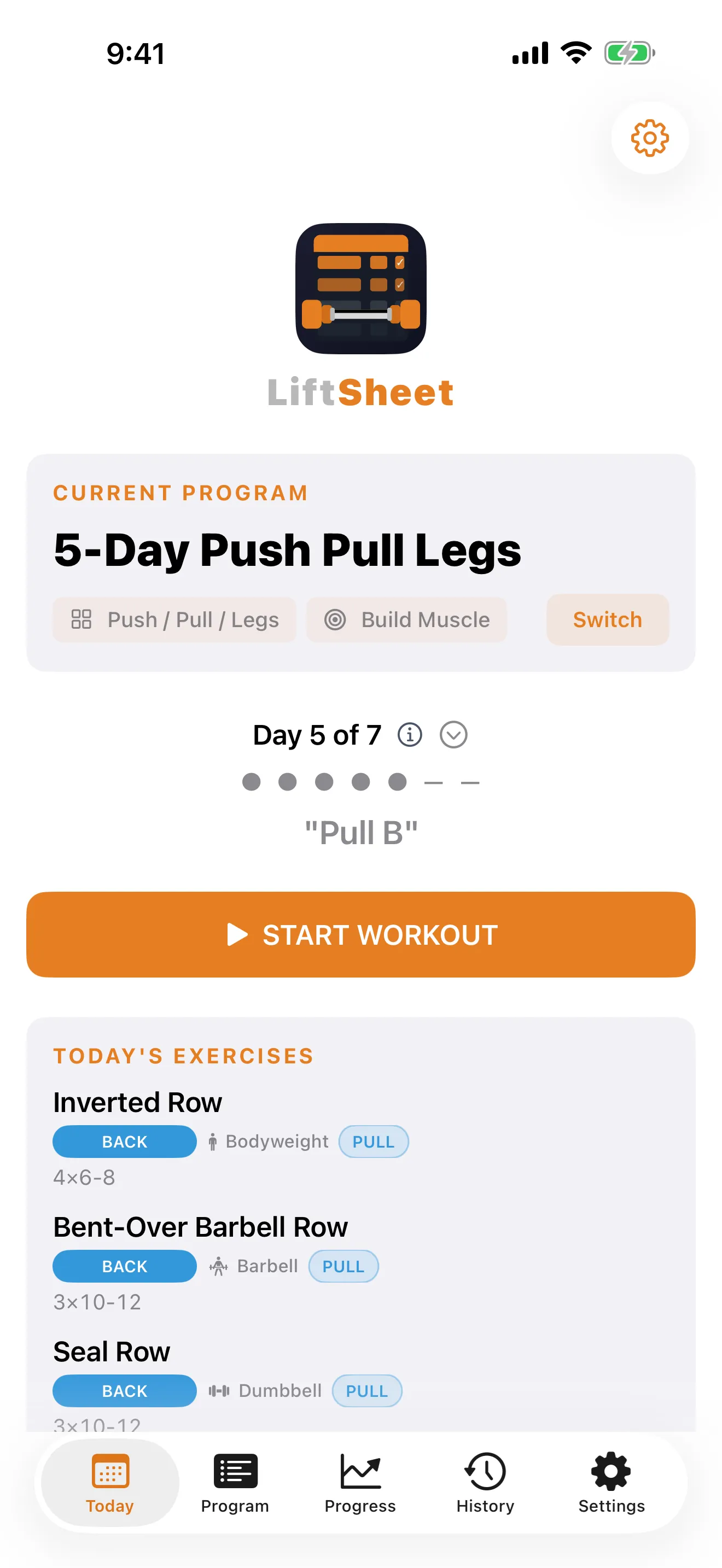
A minimalist workout tracker for iPhone and iPad, designed for lifters who value simplicity. 3,700+ exercises, one-tap logging, and progress tracking — nothing more, nothing less.

Download on App Store

Why LiftSheet

One-Tap Set Logging

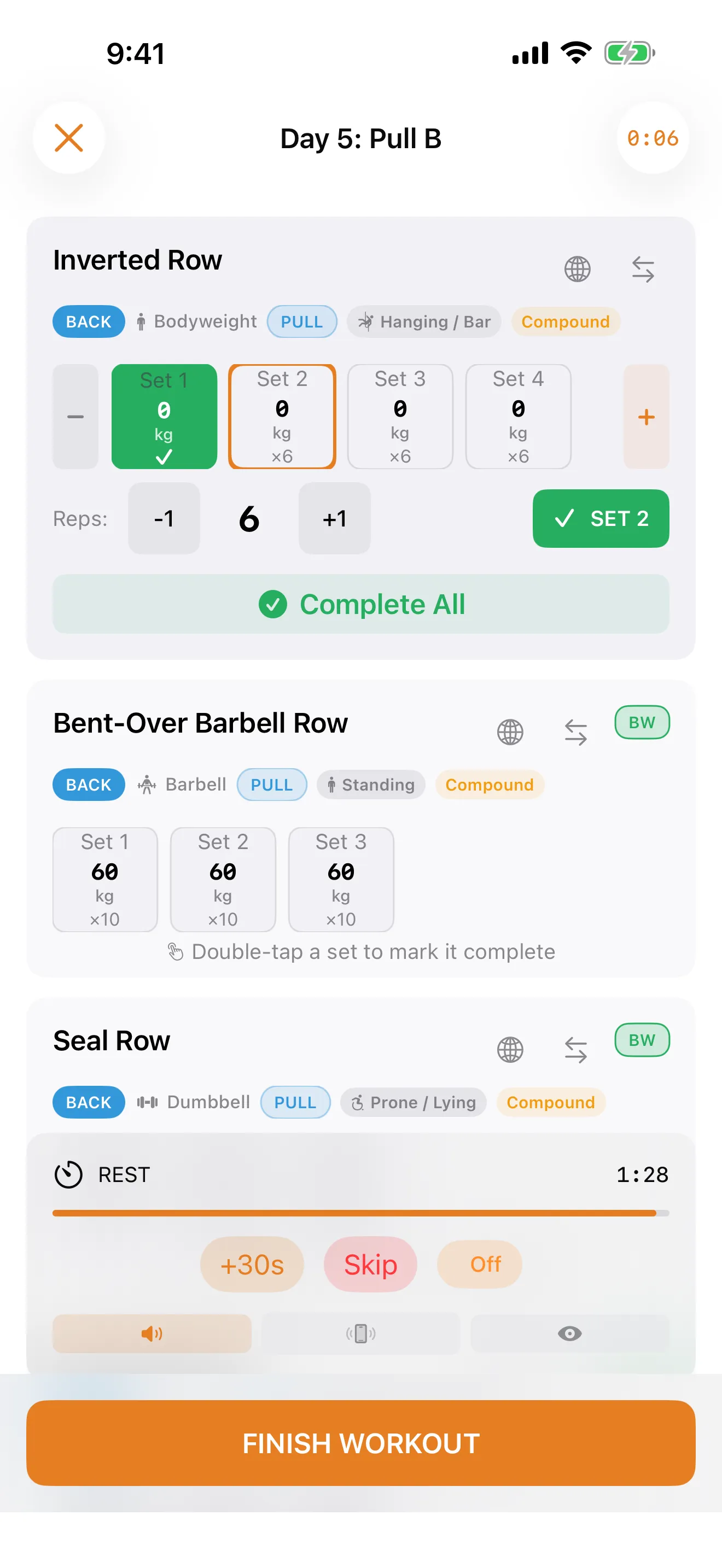
Speed during a workout is everything. Weights carry over from your last session automatically — no fiddling with numbers between sets.

A Planner, Not a Tracker

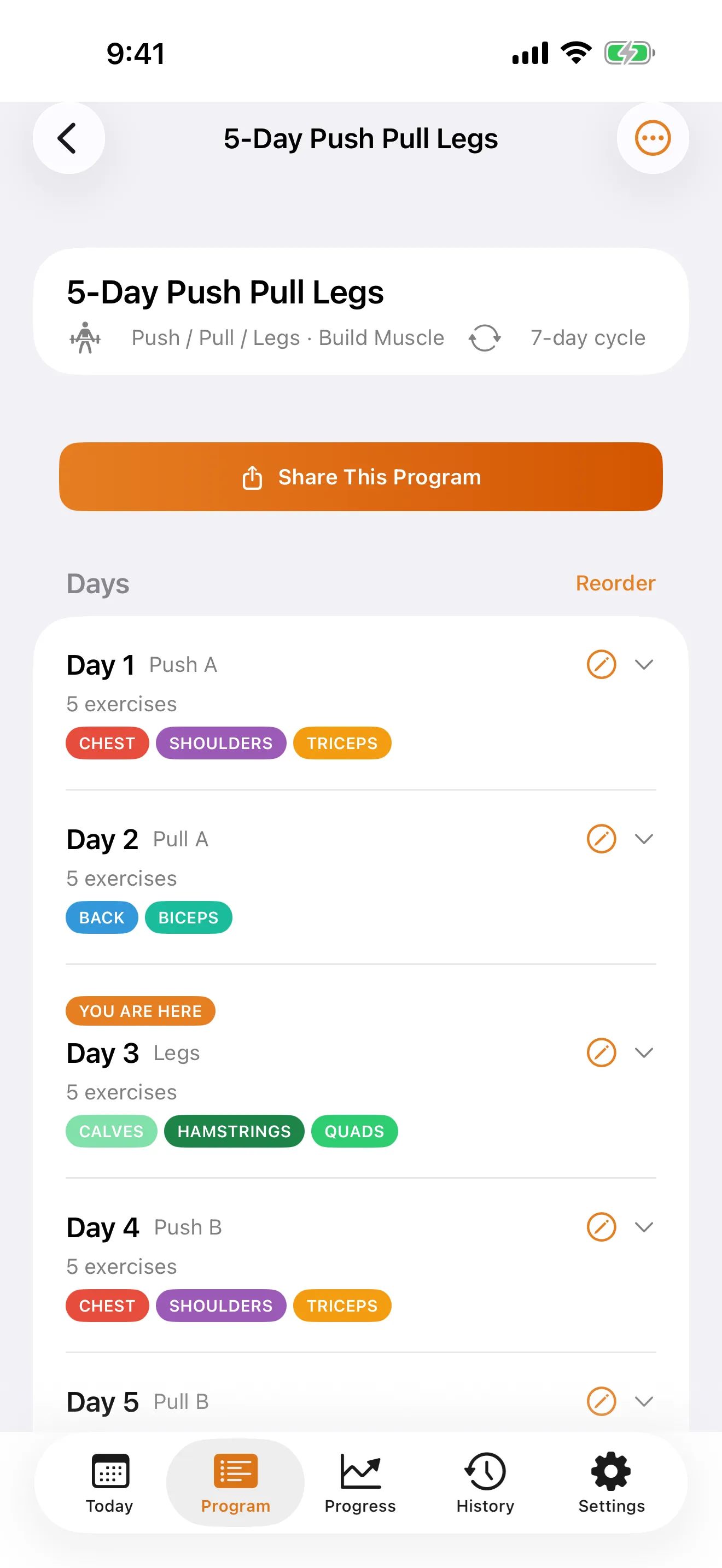
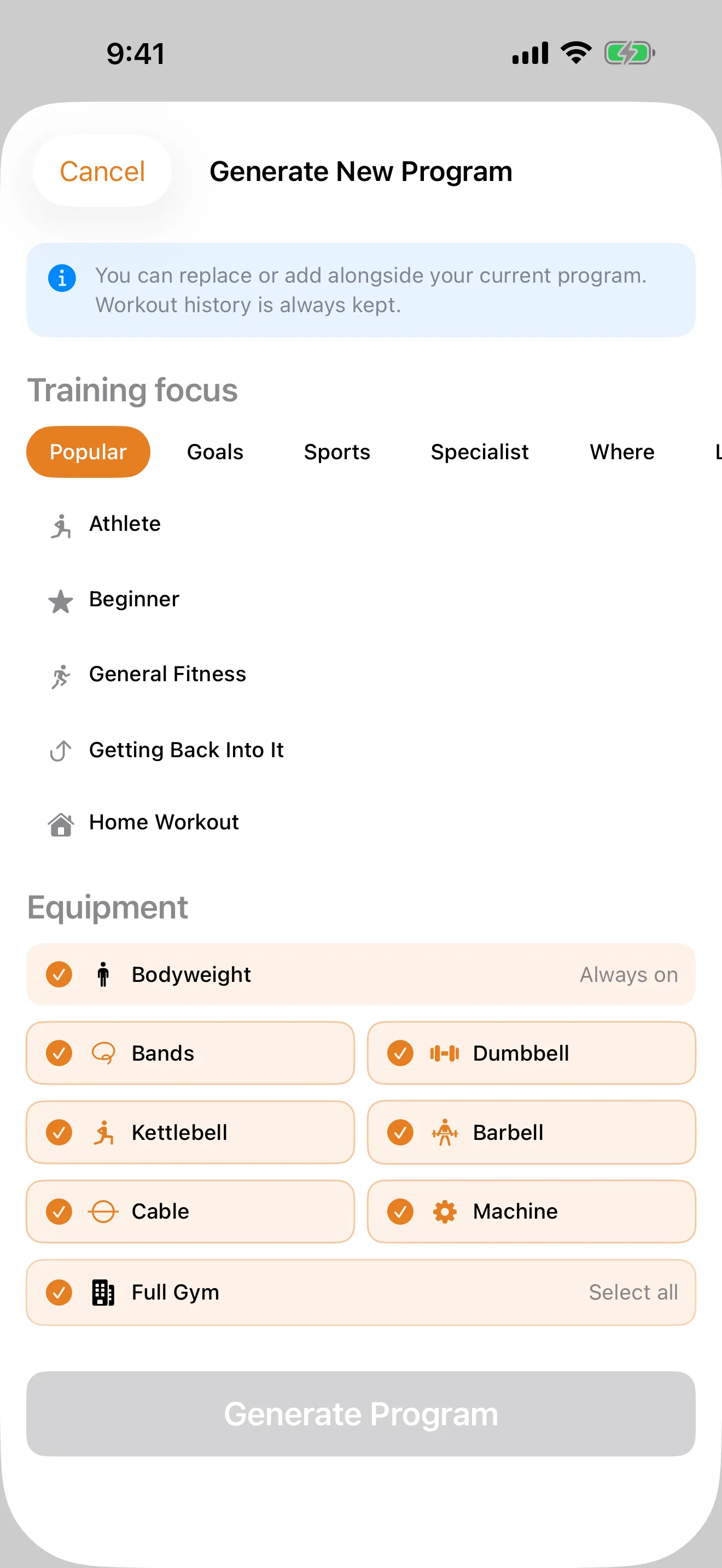
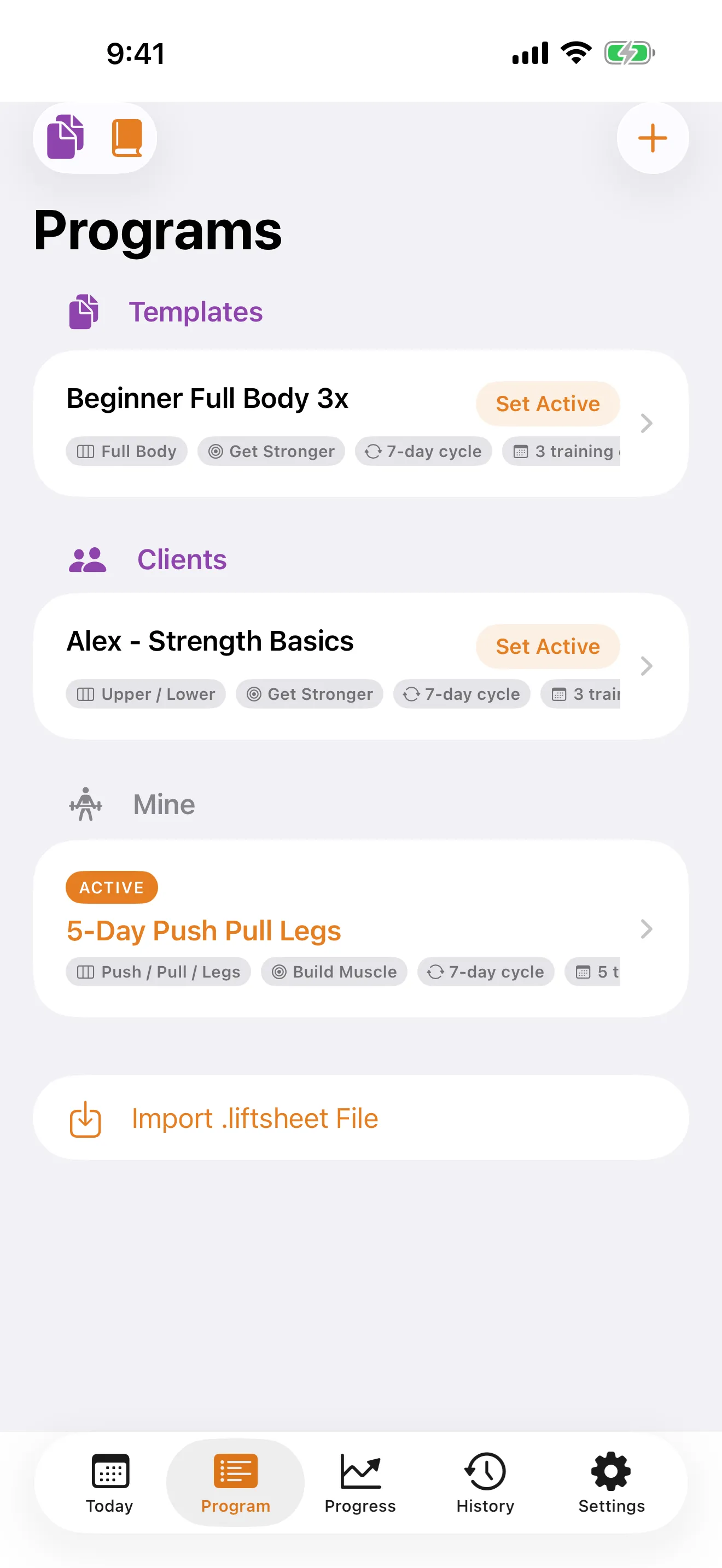
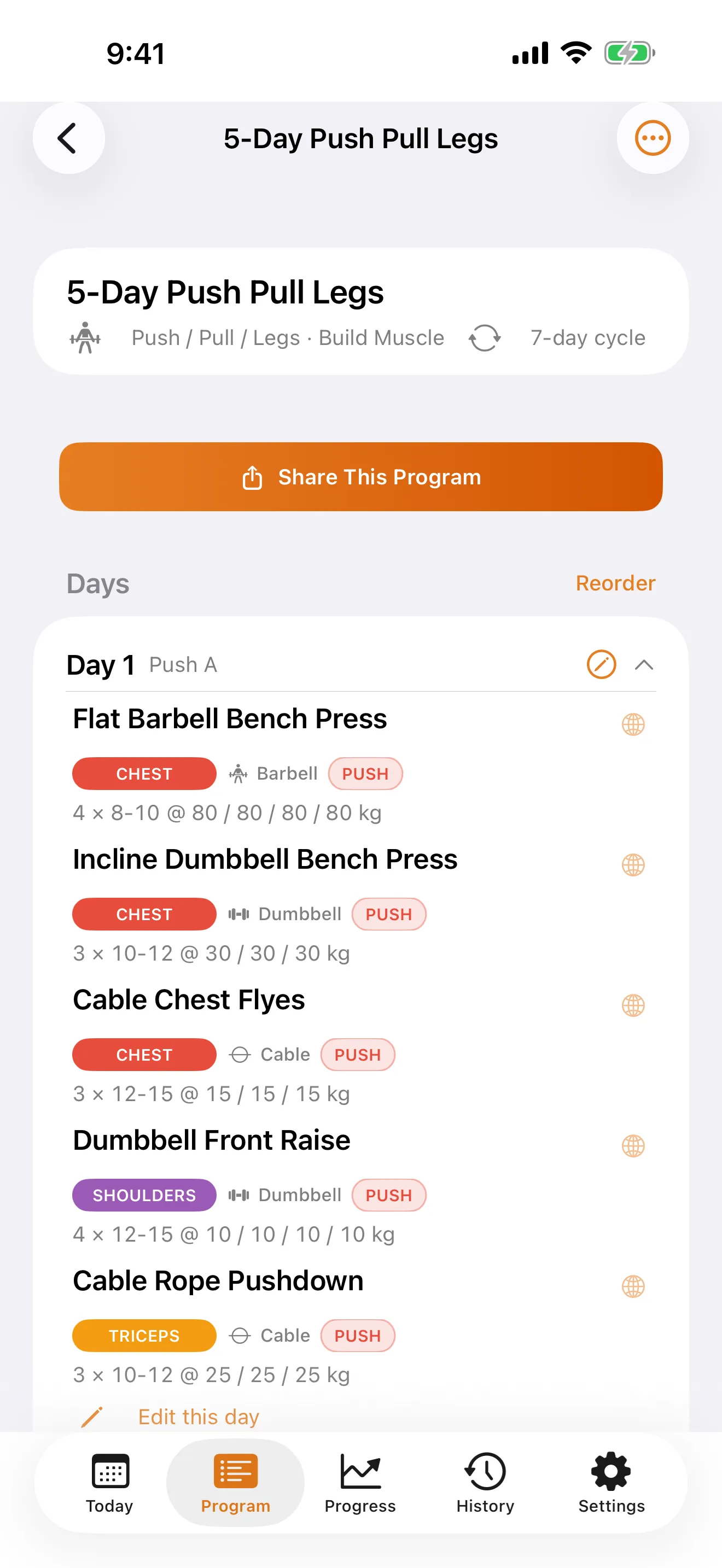
Most apps make you bring your own programming knowledge. LiftSheet builds complete programs for you — 8 splits, 8 goals, 60 training personas, with exercises matched to your equipment.

3,700+ Smart Exercises

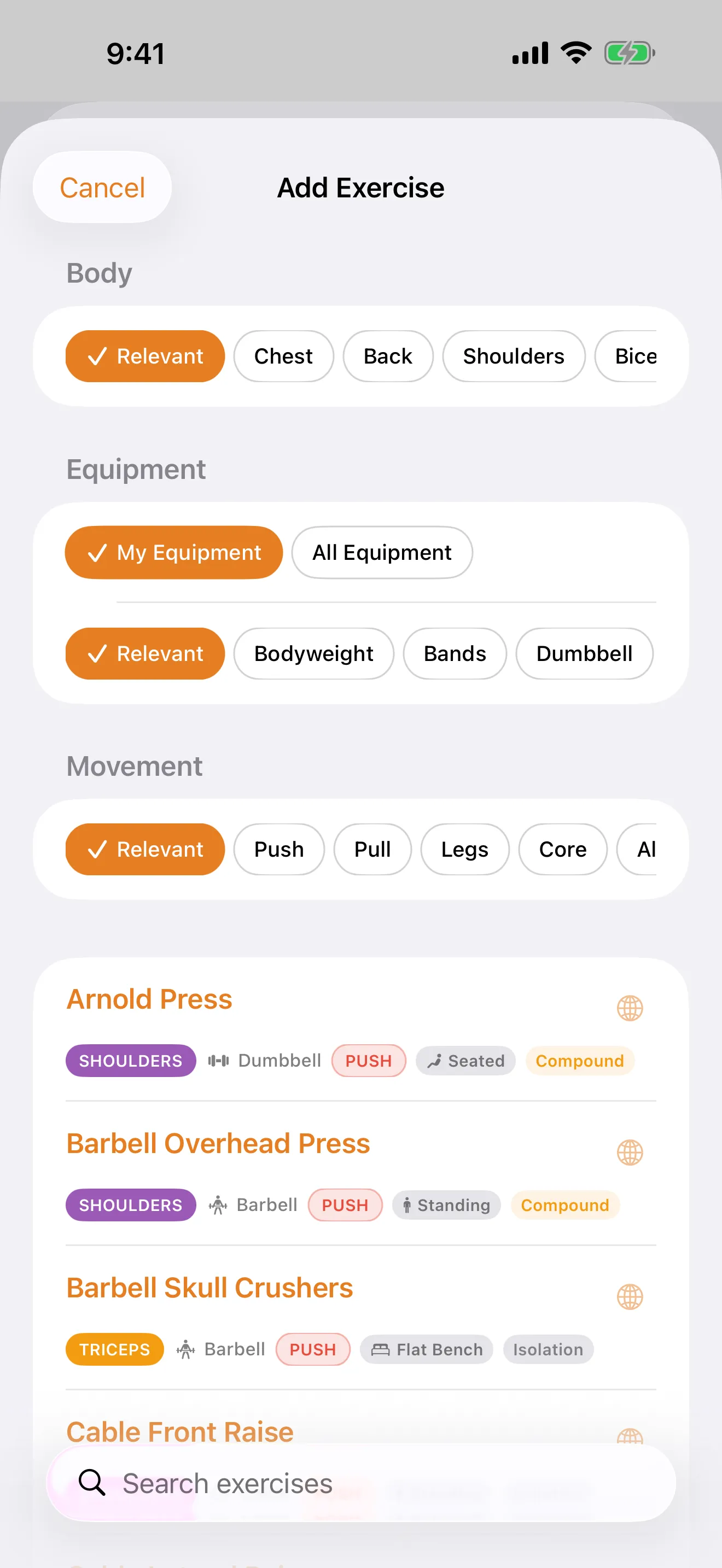
Filter across 15 muscle groups by equipment, body posture, apparatus, and movement pattern. Create your own custom exercises too — with built-in validation that stops impossible combinations like a Chest exercise tagged as Pull.

Travelling Mode

Away from the gym? Auto-swap your exercises to bodyweight or band alternatives in one tap. No separate routines needed.

Auto Warm-Up

Automatic descending warm-up percentages based on your working sets. Tracked separately — never counted towards PRs or volume.

Progress That Matters

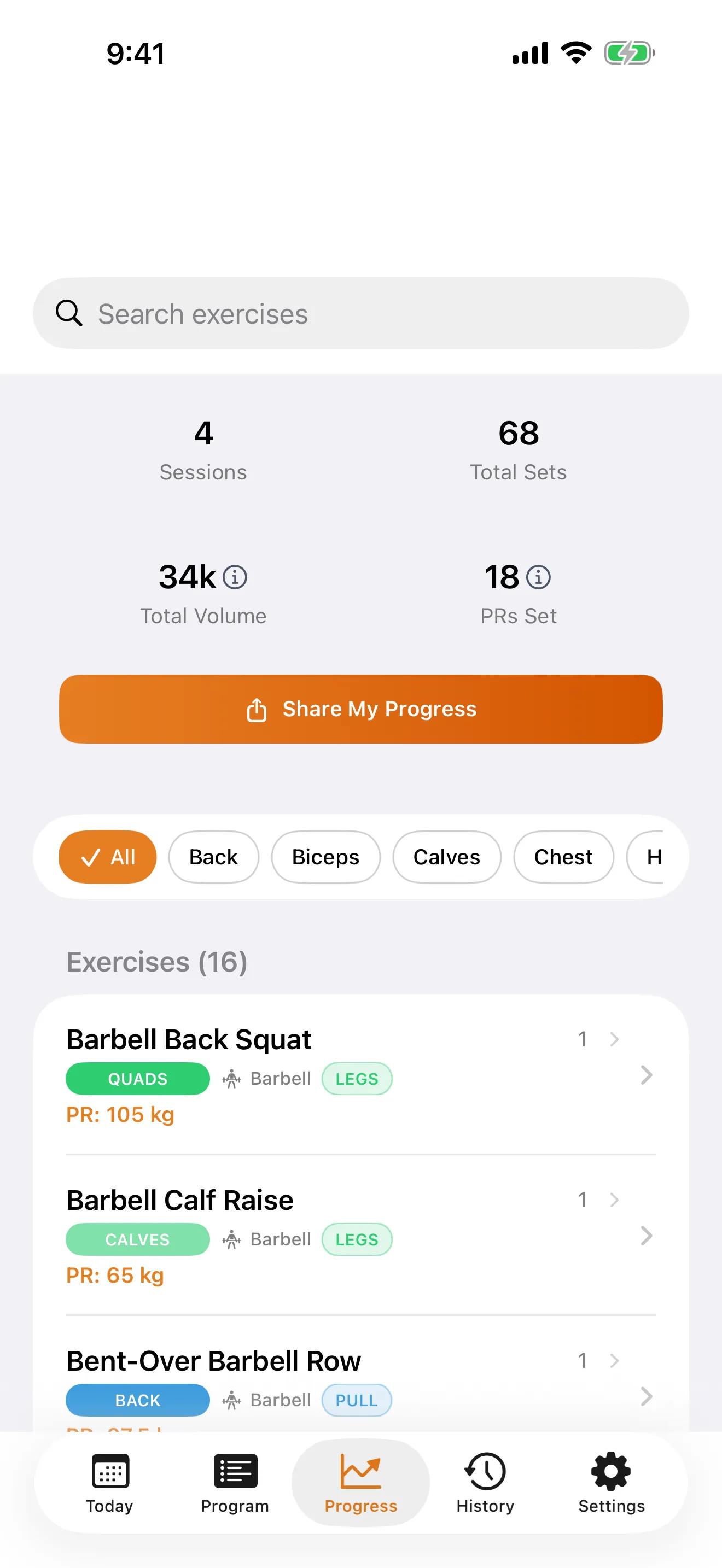
Per-exercise charts, estimated 1RM using the Epley formula, volume trends, and automatic PR detection. See what's actually improving.

Privacy First

No ads, no account, no cloud. Everything stays on your device. No paywalls on core features. No data collection, ever.

Built for Trainers

Templates, client management, and branded exports — features that professional coaching platforms charge $50+/month for.

For Lifters

A minimalist iOS workout tracker built around the way you actually train — no accounts, no ads, no cloud.

📋

Custom Programs

Build and customise your own workout programs tailored to your goals, split, and equipment.

💪

3,700+ Exercises

A full library spanning 15 muscle groups with alternatives, tags, body-posture and apparatus metadata, and step-by-step form guides on every entry. Create your own custom exercises too.

One-Tap Logging

Log sets, reps, and weight with a single tap. Speed and simplicity combined.

⏱️

Rest Timer

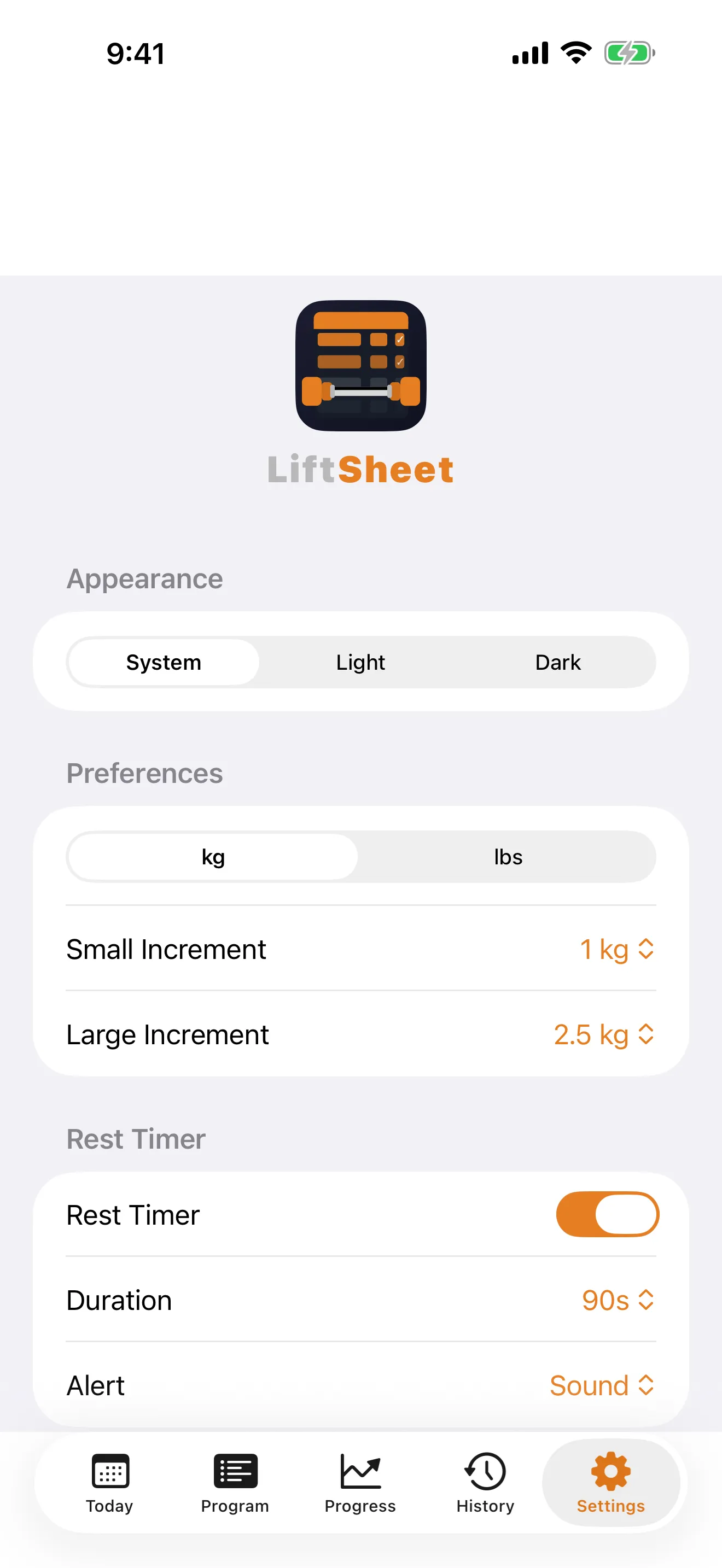
Built-in rest timer with configurable alerts to keep your sessions consistent and on pace.

🎯

PR Tracking

Automatically tracks your personal records and progress over time, with charts and history.

🔥

Warm-Up Sets

Add warm-up sets with auto-calculated weight percentages. Warm-ups are tracked separately and never count towards your PRs or volume totals.

🧭

Equipment-Aware Builder

Tell LiftSheet what gear and apparatus you have across free weights, strength machines, functional training, and calisthenics & bands — it only suggests exercises you can actually perform. Edit your equipment inline from any picker without leaving the screen.

✈️

Travelling Mode

Heading out of town? Switch to a bodyweight or lighter alternative program in one tap — no gym required, and your main program stays exactly where you left it.

📄

PDF & .liftsheet Export

Export workouts, programs, or full history as clean, printable PDFs for your records or a coach.

📲

Shareable Moments

Post finished workouts, PRs, progress, and full programs as polished share cards in five formats — portrait, story, square, landscape, and custom — straight from LiftSheet to any app.

🙈

Privacy-First Sharing

Flip on "Hide numbers" to share the vibe without the weights, or use the master switch in Settings to hide every share button app-wide.

📱

iPhone and iPad

Optimised for both — split-view layouts on iPad give you more room to plan and review, while iPhone keeps things pocket-sized at the rack.

🔄

One-Tap Exercise Swap

Tap the swap icon on any exercise card to open the Alternatives panel — same muscle group, alternate equipment, plus bodyweight and resistance-band fallbacks. Pick whether the swap applies to today only or permanently rewrites your program, all from one sheet.

🔗

Cross-Program Weight Sync

Run the same exercise across multiple programs? Finish a workout and LiftSheet offers to apply your latest weights to every other program slot in one tap. Per-exercise opt-outs stick, so deliberate variations stay untouched.

🔔

Plan-Ahead Reminder

Optional local notification the evening before each scheduled training day, so tomorrow's session never sneaks up on you. Same-day reminders are still available — both are opt-in from Settings.

🎉

PR Celebration

Beat your all-time best for an exercise mid-workout and a celebration banner appears at the top of the screen — no need to wait for the post-workout summary to know you crushed it.

💾

Save & Resume Workouts

Life happens. Save a workout mid-session and pick up exactly where you left off later — no lost sets.

🖼️

Multi-Format Share Cards

Share in five formats — portrait, story (9:16), square, landscape, and custom — so your cards look perfect on any platform.

⏱️

Time Budget

Only got 30 minutes? Set a time budget before starting and LiftSheet prioritises your exercises so you hit the most important lifts first.

📈

Weight Progression

Bump weights after completing all sets with configurable increments. Post-workout review sheet lets you lock in increases for next session.

⬇️

Bulk Deload

Deload week? Drop every exercise to a percentage of your working weight in one tap — no manual editing required.

🔄

Auto-Backup

Automatic backups after every completed workout, with manual backup and restore. Your training history is always safe.

🔒

Private by Default

No account, no sign-up, no tracking. Every workout, program, and note stays on your device.

Shareable Moments

Every big milestone deserves a share-worthy card. LiftSheet renders polished graphics in five formats — portrait, story (9:16), square, landscape, and custom — on-device, in a fraction of a second, no filters or feeds required.

Workout Complete

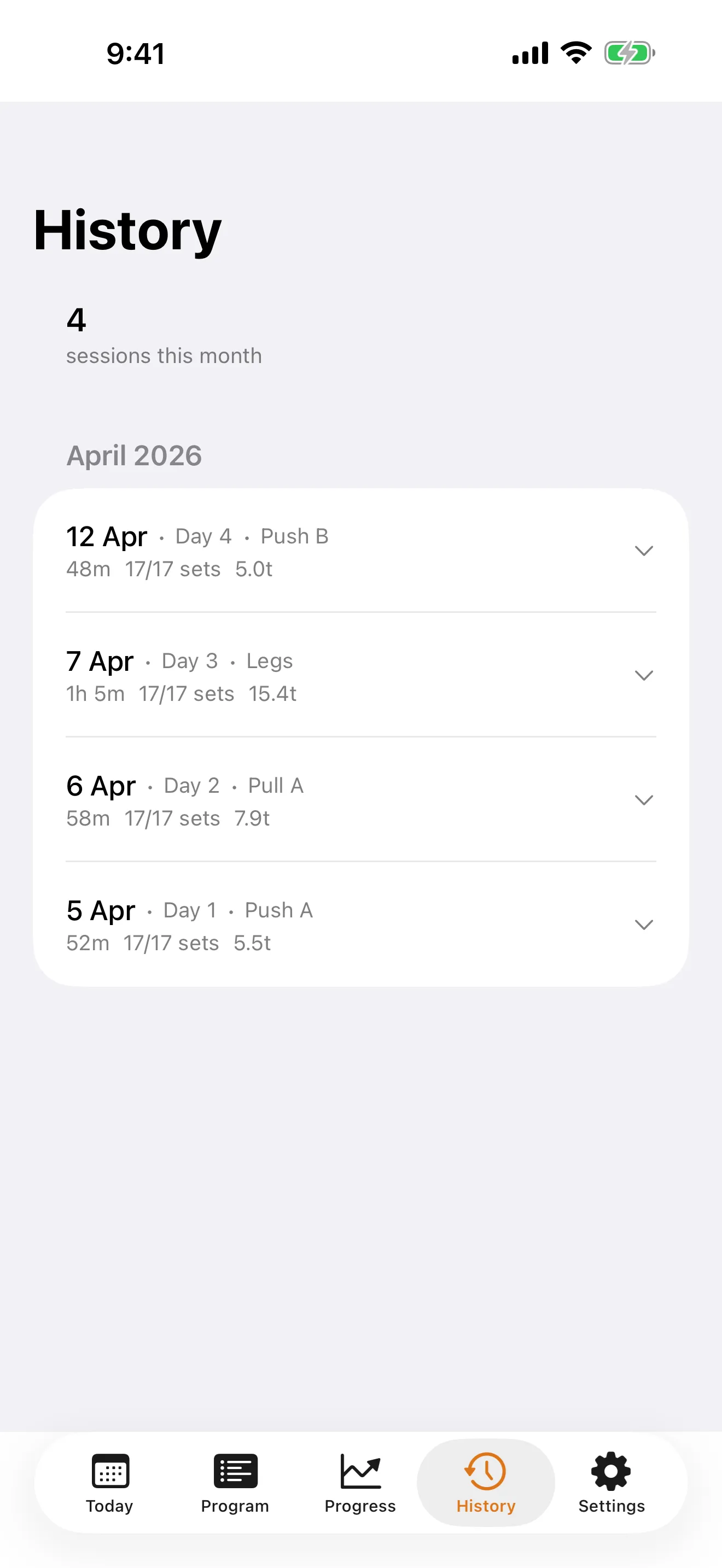
Finish a session and LiftSheet generates a card with every exercise you hit, set count, total volume, and duration — ready to share the moment you rack the last plate.

🏆

PR Cards

Beat a personal record and a dedicated card pops up with your new weight, reps, and the previous best it just crushed.

🗒️

Program Previews

Share a full program at a glance — every training day, every exercise, laid out so followers can read your split without installing anything.

📈

Progress Cards

After four sessions LiftSheet unlocks a progress card summarising streaks, volume trends, and the lifts you're moving fastest on.

🕘

History Replay

Any session in your history can be re-shared. Revisit an old workout and post it with a single tap.

📱

Five Formats, One Tap

Portrait, story (9:16), square, landscape, and custom — pick the format that fits your platform. Instagram integration hands it straight to the IG composer.

For Trainers

The Trainer tier turns LiftSheet into a lightweight coaching toolkit. Available as Monthly, Annual, or Lifetime — includes everything in Pro. Build once, reuse forever, and send programs straight to your clients.

👥

Unlimited Client Programs

Keep a separate program for every client, grouped by name in your Trainer Library so nothing gets mixed up.

📚

Reusable Templates

Save any program as a template and spin up a fresh, independent copy for each new client in seconds.

📝

Private Client Notes

Attach injury notes, goals, and session history to each client program. Stored locally, never exported.

📬

Send to Client

Share programs as .liftsheet files or branded PDFs — your clients just tap to open and start training.

🎨

Branded PDF Exports

Export client-ready PDFs with your name, business, tagline, and your own uploaded logo on the cover and every page header.

🖼️

Branded Share Cards

Every workout, PR, program, and progress card swaps LiftSheet's default crest for your studio logo and coach name. Turn every client's post into quiet marketing for you.

📸

Logo Upload

Drop your logo into Settings once. LiftSheet downscales it on-device, stores it locally, and surfaces it on every share card and PDF you ever export — never touches a server.

🗂️

Trainer Library

One place for Templates, Client programs, and your own training — with edit, view, and delete on every row.

Plans

New installs get a 30-day trial with full Pro access — no credit card required. Pricing shown in your local currency on the App Store.

Free

Forever free
No account needed
  • Up to 5 programs
  • Full exercise library (3,700+)
  • Full session logging
  • Progress charts and history
Download Free

Pro Lifetime

One-time purchase
Pay once, keep it forever
  • Everything in Pro
  • All future Pro features
  • No renewals, ever
Unlock Forever

Trainer

Monthly, Annual, or Lifetime
Includes everything in Pro
  • Everything in Pro
  • Unlimited client programs
  • Branded PDF exports
  • Branded share cards
  • Program templates library
  • Client notes per program
Get Trainer

FAQ & Support

About LiftSheet

What is the best free workout tracker for iPhone? +
Is there a workout app that works without an account or internet? +
Can I build a custom workout program on my iPhone? +
Is there a gym app that lets me share workouts on Instagram? +
What is the best app for tracking PRs and personal records? +
Can I use LiftSheet for bodyweight workouts at home? +
How much does LiftSheet cost? +
Is there a privacy-focused workout app with no data collection? +
What exercise split types does LiftSheet support? +

For Lifters

How do I start a workout? +
Can LiftSheet remind me to work out? +
Can I update my working weights across multiple programs at once? +
Can I swap an exercise during a workout? +
Does my data sync across devices? +
What is Travelling Mode? +
How do I export my data? +
What can I share as an image card? +
Can I hide my numbers when sharing? +
How do I restore purchases? +
How do I cancel my subscription? +

For Trainers

How do I create a reusable template? +
How do I turn a template into a client program? +
How do I send a program to a client? +
Are my client notes private? +
What does "branded PDF export" mean? +
How do branded share cards work? +
How do I upload my logo? +
Where is my uploaded logo stored? +
How do I organize clients in the Trainer Library? +

Still Need Help?

Our support team is here to help you get the most out of LiftSheet.

Email: [email protected]

Privacy Policy

Last Updated: April 8, 2026

Introduction

LiftSheet ("the App") is committed to protecting your privacy. This Privacy Policy explains our data practices and your rights as a user.

Data We Collect

LiftSheet collects ZERO personal data. All user data—including workout logs, programs, exercise history, and personal records—is stored exclusively on your device.

How Your Data Is Stored

  • Local Storage Only: All workout data is stored on your iOS device using on-device storage. Your data never leaves your phone or tablet unless you explicitly export it.
  • No Cloud Sync: LiftSheet does not sync data to cloud servers or any third-party services.
  • No Backups to LiftSheet: We do not maintain backups of your data. Backups are handled exclusively by iOS's built-in iCloud backup system if you enable it in your device settings.

What We Don't Collect

  • No analytics tracking
  • No crash reporting
  • No usage statistics
  • No behavioral data
  • No location data
  • No personal identifiers (name, email, phone number, etc.)
  • No health or fitness data analytics

Apple In-App Purchase (IAP)

LiftSheet uses Apple's In-App Purchase system to process subscriptions and one-time purchases. When you make a purchase:

  • Apple processes your payment using your Apple ID.
  • LiftSheet receives a receipt token to verify your purchase status—nothing more.
  • Your payment information is handled exclusively by Apple and is never shared with LiftSheet.
  • For more details on Apple's privacy practices, see Apple's Privacy Policy at www.apple.com/privacy.

Data Exports

LiftSheet Pro users can export their data as PDF, CSV, or .liftsheet files. These exports are generated on your device and only shared if you explicitly send them. LiftSheet does not transmit, store, or monitor exported files.

Third-Party Services

LiftSheet does not integrate with third-party analytics services, advertising networks, or data brokers. The app contains no:

  • Google Analytics or similar tracking
  • Facebook SDK or tracking pixels
  • Advertising networks or ad tracking
  • Data sharing agreements

Your Rights

  • Data Access: All your data is on your device—you have complete access to it at all times.
  • Data Deletion: You can delete any data by removing it within the app or uninstalling LiftSheet entirely.
  • Export Your Data: You can export all your data at any time using the built-in export features (Pro tier).
  • No Targeted Ads: LiftSheet contains no advertising and does not share your data with advertisers.

Children's Privacy

LiftSheet is not directed to children under 13. If we become aware that a child under 13 has provided personal information, we will delete it immediately. LiftSheet does not knowingly collect data from children.

Security

LiftSheet relies on iOS's built-in security features to protect your device and data. All data remains on your device and is subject to iOS encryption and security protections. We do not implement additional encryption or data protection mechanisms beyond what iOS provides.

Changes to This Privacy Policy

We may update this Privacy Policy from time to time. Changes will be posted within the app and on this page with an updated "Last Updated" date. Continued use of LiftSheet constitutes acceptance of any changes.

Contact Us

If you have questions or concerns about this Privacy Policy or LiftSheet's data practices, contact us at:

Email: [email protected]